All Email Connect
- 4.2
- Rating
- 5.00M
- Installs
- Free
- Price

 Analysis by App-foxy
All Email Connect is a communication app from AI Email & Access that brings several email accounts into one mobile workspace and connects email activity with phone calls. I approached it as the kind of tool you might install when switching between separate inbox apps has become tiring, especially if you want to send a message immediately after speaking with someone. The idea is simple, but the usefulness depends heavily on how reliably your phone can reach the mail service and how comfortable you are managing communication from one place.
The app is free and suitable for Everyone, which makes it easy to try without turning the decision into a financial commitment. It has earned a 4.2 average from around 17 thousand ratings and has passed 5 million installs, so it is not an obscure experiment with no visible user base. The developer is AI Email & Access, and the current version is 3.10. It was released on April 8, 2023, and requires Android 10 or later.
How the connected email experience works in everyday use
When I look at how connected email fits into an ordinary day, I start with the moment a call ends and there is something worth putting in writing. The key is to make that handoff deliberate: capture the essential detail while it is fresh, then check the account and recipient before sending. That practical routine also helps show where a unified workspace saves effort—and where it still needs your attention.
You May Also Like

 Blood Strike: 2.5 Anniversary
Blood Strike’s Loadouts Turn Every Drop Into a Tactical Gamble
A close look at Blood Strike’s custom loadouts: how fast access to signature weapons reshapes its battle royale rhythm, rewards preparation, and narrows the gap between fights.

 Pandora - Music & Podcasts
Pandora’s Music Is Easy to Start, but Harder to Recover
Pandora’s strength is its low-effort path from a seed to a station. Its weak spot is how much confidence it asks you to place in connection, setup, and quiet recovery.

 8 Ball Pool
 Is Built on Rivalries, Rematches, and Routine
A close look at the rivalries, rematches, shared routines, and unanswered safety questions that turn a quick pool match into a persistent mobile community.

 Samsung Music
’s Quiet Strength Is Playing What You Already Own
Its reach comes less from spectacle than from dependable access to a personal library. That simplicity is both the app’s strongest retention engine and its ceiling.

 AccuWeather: Weather Radar
AccuWeather Review: A Quick, Clear Forecast for Everyday Decisions
For everyday plans, the best forecast is the one you can understand quickly. AccuWeather makes rain timing, radar, and local conditions easy to act on, with a few trade-offs.

 Hill Climb Racing
Why Hill Climb Racing Still Turns Crashes Into One More Run
A tiny car, a bumpy hill and one more upgrade: Hill Climb Racing keeps resurfacing because its simple chaos makes every near-miss feel personal.
More From Our News Desk



One inbox can reduce the small delays between accounts
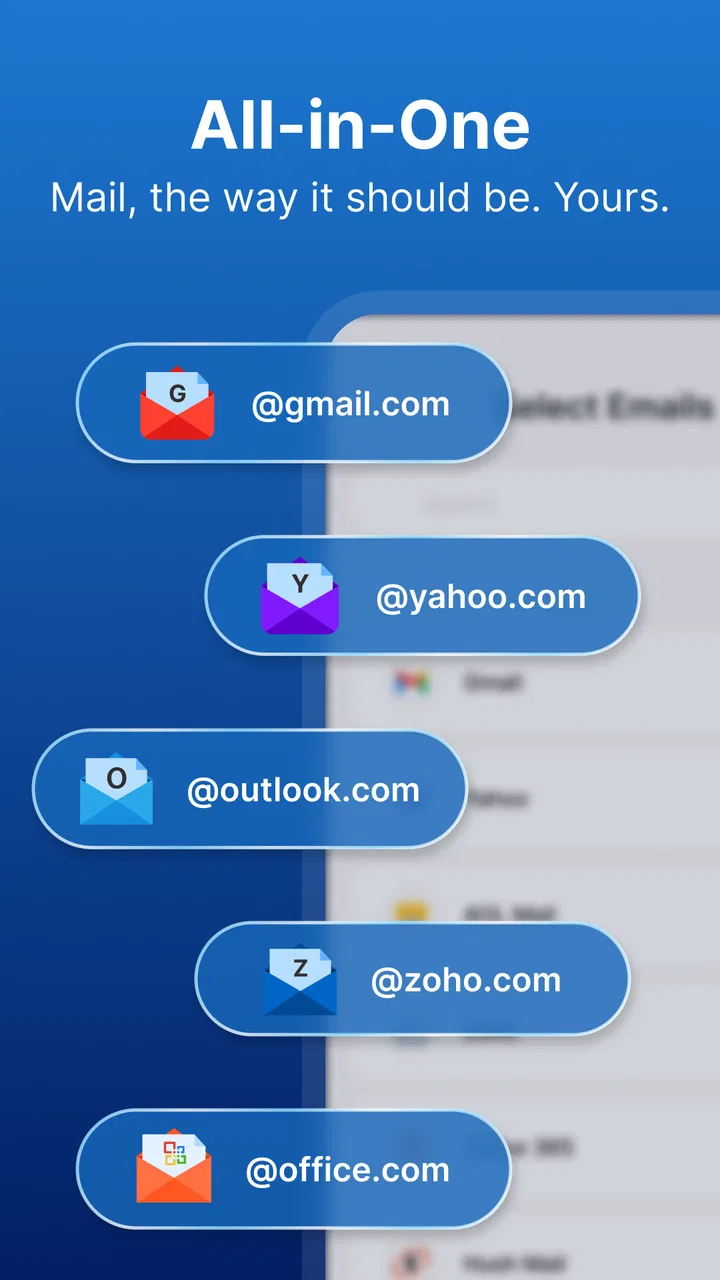
My first impression is that the strongest reason to use All Email Connect is convenience rather than advanced email management. If you maintain a personal address, a work address, and perhaps another account for shopping or registrations, opening each provider separately creates a surprising amount of friction. A unified app gives you one place to check what needs attention, which can make a busy morning feel less fragmented.
The important distinction is that this is not merely an inbox replacement. Its identity is built around connecting email with calls. That makes the app more interesting for people who communicate by phone and then need to follow up in writing. Instead of ending a call, remembering the details, and later searching for the right account, you can move directly into an email-related task while the conversation is still fresh.
That workflow is particularly useful for appointment coordination, customer conversations, school matters, or family planning. Imagine speaking with a service provider about a repair. During the call, you agree on a date and ask for confirmation. A connected email tool can make the next step feel closer to the call itself: you finish talking, open the relevant email action, and write down the agreed details before they disappear from memory.
The real benefit is continuity between two communication modes. Many email apps are excellent at reading and composing messages but treat phone calls as completely separate events. All Email Connect aims at the gap between them. I would not choose it solely because I need another way to read mail; I would choose it because my email tasks often begin with a conversation.
Connectivity is part of the experience, not a background detail
Because the app brings together online email activity and follow-up communication, a stable connection matters. When the network is responsive, inbox loading and message handling feel like a natural continuation of what I am doing on the phone. When the connection is weak, the same workflow can lose its advantage because I may be waiting for accounts or messages at exactly the moment I want to act.
This is worth considering before making it your only communication app. A unified interface does not remove the underlying dependence on mail services, account access, or the phone’s current connection. If you are in a basement, on a train, or moving between unreliable networks, the app may be less satisfying than it is at home or in a well-covered office. I would keep expectations practical: it is a connected communication hub, not a guarantee that every action will be immediate in every location.
For that reason, I found the app more compelling as a daily coordination tool than as a complete replacement for every existing communication method. It can simplify the online part of a conversation, but it cannot make an unavailable network available. That sounds obvious, yet it changes how you should plan to use it. The best moment for a quick follow-up is usually when the call has ended and the connection is still dependable, not hours later in a place where access is uncertain.
Mobile contexts reveal both the convenience and the compromises
On a phone, reducing app switching is valuable. Calls, messages, notifications, and email already compete for attention. All Email Connect makes sense when your communication routine happens mostly on one device and you prefer a single starting point. I can see it working well for someone who checks several inboxes during commutes, between meetings, or while handling personal errands.
There is also a mental advantage to seeing email accounts together. If you are unsure which address received a reply, you have fewer places to inspect. That can be helpful when a contact uses one address for work and another for personal matters, or when a confirmation might have arrived in an account you do not check constantly.
However, combining accounts can also make the phone feel busier. A single app may bring together messages with very different levels of urgency. A work request, a newsletter, and a personal note can sit close to one another, and the convenience of a unified view may create a new sorting problem. I recommend deciding in advance which accounts deserve immediate attention and which should be treated as background mail. Without that habit, the app can make everything look equally important.
Another practical point is composition on a small screen. The app’s call-to-email concept is strongest when the follow-up is short and clear: a confirmation, a list of agreed items, or a quick request. If you need to draft a long formal message, compare several threads, or carefully format a document, a desktop email client may still be more comfortable. The phone is excellent for capturing the next action while the conversation is fresh; it is not always the best place for detailed correspondence.
A realistic call-to-email routine
Consider a freelancer speaking with a client about a delivery. The client changes the requested date and asks for a written summary. After the call, the freelancer opens All Email Connect, chooses the appropriate account, and sends a concise recap: the revised date, the agreed deliverable, and the next check-in. That small workflow is where the app earns its place. It reduces the chance of forgetting the details and avoids the awkward delay of saying, “I will send that later,” then searching through several apps.
A similar routine works for parents organizing school activities, people managing appointments, or anyone who frequently receives instructions by phone. The value is not that the app transforms email into something new. The value is that it places the follow-up close to the moment when the information is easiest to remember.
There is a trade-off, though. A fast follow-up can also encourage rushed messages. I would pause long enough to check the recipient, the sending account, and the key details before pressing send. When several accounts are connected, choosing the wrong identity is a realistic mistake. The convenience of one app makes that check more important, not less.
What happens when a connection fails?
Failure and recovery are central to judging a connected app. If an inbox does not load, a message does not send, or an account takes too long to respond, the whole point of a quick follow-up is weakened. In my view, the right way to use All Email Connect is to treat it as a streamlined route, not as a reason to stop thinking about whether the action has actually completed.
After composing an important message, I would verify that it has gone through before leaving the screen or moving on to another task. If the network drops during a call-related follow-up, I would avoid assuming that the message was delivered. Reopening the relevant conversation or checking the sent area when the connection returns is a sensible habit. This is especially important for appointments, work instructions, and anything with a deadline.
Recovery is also easier when you keep a simple mental record of what you intended to send. For a short message, remember the recipient and purpose. For a more important email, retain the essential points until you have confirmed completion. That may sound old-fashioned, but it prevents a connected workflow from creating false confidence.
The app’s single-workspace approach can help recovery because you have fewer places to search. Instead of checking multiple provider apps to remember where you started, you can return to the same communication hub. Still, centralization is not the same as backup. I would not rely on it as the sole record of an urgent exchange until I had confirmed that the message and account activity were visible as expected.
Using several accounts without losing control
Managing multiple inboxes from one app raises a question many users have before installing: will the convenience make account selection confusing? It can, particularly when two accounts have similar names or when you regularly send messages on behalf of different parts of your life. I suggest using a consistent routine: identify the account first, then choose the recipient, then write the message. That order reduces the chance of sending personal information from a work address or vice versa.
Another useful habit is to treat the unified inbox as an overview rather than a final filing system. When a message needs a detailed response, open it deliberately and confirm which account it belongs to. When it is only a quick follow-up after a call, the central view is more efficient. This two-speed approach lets the app handle fast tasks without forcing every email into the same workflow.
People who want strict separation may find the combined approach less comfortable. Some users prefer a dedicated work app, a separate personal inbox, and a clear boundary between them. For those users, All Email Connect may feel like it blurs the lines they intentionally created. The app is better suited to people who value access and continuity more than rigid compartmentalization.
Data-conscious habits matter when accounts meet in one place
When an app connects email accounts and sits close to call-related activity, I would be selective about how I use it. The safest everyday approach is to connect only the accounts that genuinely benefit from a shared workflow. If an address contains sensitive material that you rarely need during calls, leaving it in its existing dedicated app may be more comfortable.
I would also avoid treating the unified screen as a place to expose every message while someone else is looking at the phone. A quick glance can reveal subjects, names, or work details. That is not a flaw unique to this app; it is a consequence of putting more communication into one visible place. Being mindful of notifications and screen sharing is part of using a combined communication tool responsibly.
For people who are careful with mobile data, the same principle applies: use the app when the task justifies it, and avoid repeatedly refreshing several inboxes simply out of habit. Checking everything at once can be convenient, but it can also encourage more frequent activity than necessary. A focused routine—review urgent mail, handle the call follow-up, then leave the app—keeps the experience purposeful.
I would not install it on a device that cannot meet its system requirement, since the app requires Android 10 or later. On a compatible phone, the more important question is whether your accounts and communication habits fit its connected design. The free price makes experimentation easy, but free does not mean every user will benefit. If you rarely use email after calls, the central feature may not justify changing your routine.
Who should choose it, and who should stay with alternatives?
I think All Email Connect is a good match for people who use more than one email account, handle many conversations from a phone, and often need to turn spoken agreements into written follow-ups. It is also appealing if you dislike jumping between mail apps and want a single place to begin checking communication.
I would be more cautious if you need highly specialized email organization, extensive desktop-style composition, or strict separation between identities. A provider’s own email app may be a better choice when you want the deepest account-specific tools and the clearest connection to one mailbox. A traditional multi-account client may suit you better if your priority is advanced inbox sorting rather than call follow-up. And if your work depends on formal records, I would use the app as a convenient mobile front door while retaining a more structured system for long-term organization.
The comparison is therefore less about which app is universally best and more about what you do immediately after a call. Standard email apps are often enough for reading, replying, and searching. All Email Connect has a narrower but meaningful advantage when the phone conversation is the starting point. That advantage becomes less important for users whose email life is mostly newsletters, automated notices, or long-form correspondence.
My connectivity verdict
After looking at the app through real mobile situations, I see All Email Connect as a practical communication shortcut with a clear use case. Its strongest moment is the handoff from a phone call to a written email, especially when several accounts are involved. The free entry point, Everyone age rating, and broad adoption make it easy to test on a compatible Android device without much risk.
Its limitations are tied to the same design that makes it useful. The experience depends on network access and account responsiveness, a unified inbox can increase visual clutter, and sending from the wrong account is a possibility if you move too quickly. The app also does not replace the comfort of a larger screen for lengthy messages or the specialized controls of a dedicated provider app.
My recommendation is straightforward: try it if your daily communication regularly follows the pattern of “call first, email next.” Before relying on it for something urgent, build the habit of checking the sending account and confirming that important messages completed successfully. If your priority is simply reading one mailbox or maintaining strict boundaries between personal and professional communication, your current email tools may remain the better fit.
For the right user, the app’s value is not flashy. It is the few seconds saved after a conversation, the lower chance of forgetting an agreed detail, and the relief of not searching through several inboxes to find the right place to reply. All Email Connect works best when connectivity, multiple accounts, and phone-based follow-up are all part of the same routine.
FAQs for All Email Connect
01What is All Email Connect, and what does it do?
All Email Connect is designed to bring multiple email accounts together in one convenient mobile interface. Instead of switching between separate applications, users can generally access messages from different providers in one place, making it easier to read, organize, and respond to email. Before downloading, check that your preferred providers are supported and review the app’s current feature list, since compatibility and available tools may vary by version.
02Which email providers can I use with All Email Connect?
The providers available in All Email Connect may depend on the app version, device platform, and the account’s security settings. Common services may include widely used providers such as Gmail, Outlook, Yahoo, and other IMAP or email accounts, but support should not be assumed for every service. Confirm compatibility in the app listing or setup screen before installing, especially if you use a business, school, or custom-domain mailbox.
03Is All Email Connect safe for accessing multiple email accounts?
Because an email aggregator may handle sensitive messages and account credentials, privacy and security should be considered before use. During setup, review the permissions requested, how accounts are authenticated, and whether login details are stored locally or handled through secure provider authorization. Use official downloads, keep the application updated, and enable two-factor authentication on your email accounts whenever possible for additional protection.
04Does All Email Connect require an internet connection?
All Email Connect normally requires an internet connection to sign in, synchronize mail, download new messages, and send replies. Some previously loaded emails may remain available temporarily for offline reading, but offline access can be limited and may differ between providers or devices. If you frequently travel or use unreliable mobile data, test synchronization and attachment behavior before relying on the app for important communication.
05Is All Email Connect free, and are there advertisements or in-app purchases?
The cost and monetization model of All Email Connect can change depending on the platform, region, and current release. Some versions may be free with advertising or optional purchases, while other features could require a premium upgrade. Check the Google Play Store or Apple App Store listing before downloading for the latest pricing, subscription details, advertising information, and any limits on the number of accounts you can connect.
Pros
- Supports multiple email accounts in one unified inbox.
- Reduces the need to switch between separate mail applications.
- Offers convenient access to messages from different providers.
- Can simplify email management for users with several addresses.
- Useful for checking work and personal mail in one place.
Cons
- A crowded inbox can make important messages harder to notice.
- Provider-specific features may not work equally across all accounts.
- Managing many accounts may increase notification clutter.
- Email syncing can consume additional battery and mobile data.
- Privacy depends on how the app handles connected account credentials.

All Email Connect
Gallery